pi-utils-settings
Shared settings UI and config loader for Pi extensions.
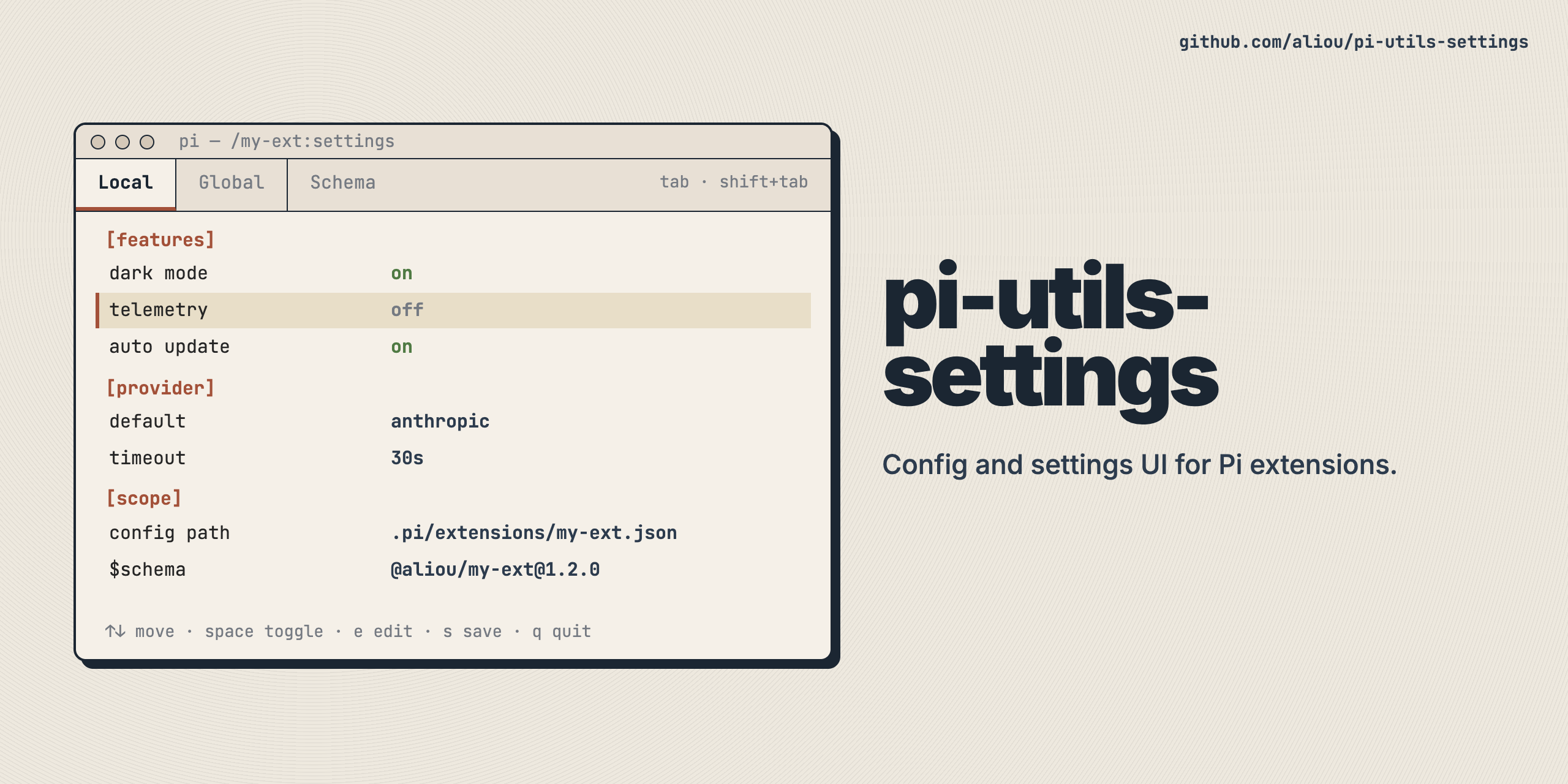
@aliou/pi-utils-settings
Shared settings infrastructure for pi extensions. Provides config loading, a settings UI command with scope tabs plus optional extra tabs, and reusable TUI components.
This is a utility library, not a pi extension. It is meant to be used as a dependency by extensions that need a settings UI or JSON config management.
Install
pnpm add @aliou/pi-utils-settingsAPI
ConfigLoader
Generic JSON config loader with global + local (project) scopes, deep merge, and versioned migrations.
import { ConfigLoader, type Migration } from "@aliou/pi-utils-settings";

interface MyConfig {
  features?: { darkMode?: boolean };
}

interface ResolvedConfig {
  features: { darkMode: boolean };
}

const migrations: Migration<MyConfig>[] = [
  {
    name: "v1-upgrade",
    shouldRun: (config) => !config.features,
    run: (config, _filePath) => ({ ...config, features: {} }),
  },
];

const configLoader = new ConfigLoader<MyConfig, ResolvedConfig>(
  "my-extension", // reads ~/.pi/agent/extensions/my-extension.json + .pi/extensions/my-extension.json
  { features: { darkMode: false } }, // defaults
  { migrations },
);

await configLoader.load();
const config = configLoader.getConfig(); // ResolvedConfig (defaults merged with global + local)
JSON Schema support
ConfigLoader can inject a $schema field into settings files, giving editors autocomplete and validation. Pair it with buildSchemaUrl and auto-generated schemas from ts-json-schema-generator.
import { ConfigLoader, buildSchemaUrl } from "@aliou/pi-utils-settings";
import pkg from "./package.json";

const schemaUrl = buildSchemaUrl(pkg.name, pkg.version);

// For schemas hosted outside npm/unpkg, use a custom template:
const githubSchemaUrl = buildSchemaUrl("aliou/my-extension", "v1.0.0", {
  template: "https://raw.githubusercontent.com/{packageName}/{version}/{schemaPath}",
});

const loader = new ConfigLoader<MyConfig, ResolvedConfig>(
  "my-extension",
  defaults,
  { schemaUrl },
);
When schemaUrl is set, save() writes $schema as the first key in the JSON file and load() strips it before returning config to callers.
To generate the schema from your TConfig type, add these scripts to your extension’s package.json:
{
  "gen:schema": "ts-json-schema-generator --path src/config.ts --type MyConfig --no-type-check -o schema.json",
  "check:schema": "ts-json-schema-generator --path src/config.ts --type MyConfig --no-type-check -o /tmp/schema-check.json && diff -q schema.json /tmp/schema-check.json"
}
Run pnpm gen:schema to produce schema.json, commit it, and add "schema.json" to files in package.json so it ships with your npm package. Add check:schema to CI to catch drift. If the extension is not published to npm, commit schema.json somewhere public and pass a custom template or baseUrl to buildSchemaUrl.
An optional afterMerge hook runs after the deep merge for logic that can’t be expressed as a simple merge (e.g., one field replacing another):
new ConfigLoader("my-ext", defaults, {
  afterMerge: (resolved, global, local, memory) => {
    if (local?.customField) {
      resolved.derivedField = local.customField;
    }
    return resolved;
  },
});
registerSettingsCommand
Creates a /name:settings command with scope tabs (Global/Local/Memory), draft-based editing, and Ctrl+S to save.
All changes (boolean toggles, enum cycling, submenu edits) are held in memory as drafts. Nothing is written to disk until the user presses Ctrl+S. Esc exits without saving by default. Dirty tabs show a * marker. Use onBeforeClose to intercept Esc, for example to confirm discarding unsaved drafts.
import { registerSettingsCommand, type SettingsSection } from "@aliou/pi-utils-settings";

registerSettingsCommand<MyConfig, ResolvedConfig>(pi, {
  commandName: "my-ext:settings",
  title: "My Extension Settings",
  configStore: configLoader, // implements ConfigStore interface
  buildSections: (tabConfig, resolved, { setDraft, theme }) => [
    {
      label: "General",
      items: [
        {
          id: "features.darkMode",
          label: "Dark mode",
          description: theme.fg("dim", "Enable dark mode"),
          currentValue: (tabConfig?.features?.darkMode ?? resolved.features.darkMode) ? "on" : "off",
          values: ["on", "off"],
        },
      ],
    },
  ],
  // --- Optional: Custom change handler ---
  // The default handler stores all values as raw strings ("on"/"off", "pnpm", etc).
  // Use onSettingChange to convert display values to the correct storage types:
  // - Booleans: newValue === "on" -> true
  // - Numbers: Number.parseInt(newValue, 10)
  // Return null to fall through to the default string storage.
  onSettingChange: (id, newValue, config) => {
    const updated = structuredClone(config);
    if (id === "features.darkMode") {
      updated.features = { ...updated.features, darkMode: newValue === "on" };
      return updated;
    }
    return null; // Fall through for other fields
  },
  // Optional: return false to keep the settings UI open on Esc.
  onBeforeClose: (isDirty) => !isDirty,
});
You can also add non-scope top-level tabs with extraTabs:
import { registerSettingsCommand, type ExtraSettingsTab } from "@aliou/pi-utils-settings";

const extraTabs: ExtraSettingsTab<MyConfig, ResolvedConfig>[] = [
  {
    id: "examples",
    label: "Examples",
    buildSections: ({ resolved, getRawForScope, enabledScopes }) => {
      const globalConfig = getRawForScope("global");
      return [
        {
          label: "Examples",
          items: [
            {
              id: "example.enabledScopes",
              label: "Enabled scopes",
              currentValue: enabledScopes.join(", "),
            },
            {
              id: "example.darkModeDefault",
              label: "Dark mode default",
              currentValue: resolved.features.darkMode ? "on" : "off",
            },
            {
              id: "example.globalPresent",
              label: "Global config",
              currentValue: globalConfig ? "present" : "missing",
              description: "Read-only info tab not tied to a scope.",
            },
          ],
        },
      ];
    },
  },
];
Ctrl+S behavior stays the same: only dirty scope drafts are saved. Extra tabs can still update drafts by calling setDraftForScope(...) from submenu callbacks.
buildSections ctx now includes theme, which is both a SettingsListTheme and full pi Theme. This means you can use list helpers (label, value, hint, …) and pass the same object to components that require full Theme.
import { Wizard } from "@aliou/pi-utils-settings";

buildSections: (_tabConfig, _resolved, ctx) => [
  {
    label: "Setup",
    items: [
      {
        id: "setup.wizard",
        label: "Run setup",
        currentValue: ctx.theme.fg("accent", "open"),
        submenu: (_value, done) =>
          new Wizard({
            title: "Setup",
            theme: ctx.theme,
            steps: [{ label: "Step", build: () => ({ render: () => [ctx.theme.hint("Ready")], handleInput: () => {} }) }],
            onComplete: () => done("done"),
            onCancel: () => done(undefined),
          }),
      },
    ],
  },
];
Submenu support
Items can open submenus by providing a submenu factory. Use setDraft inside submenu onSave to keep changes in the draft (same save model as simple values):
import { ArrayEditor, setNestedValue } from "@aliou/pi-utils-settings";

{
  id: "tags",
  label: "Tags",
  currentValue: `${tags.length} items`,
  submenu: (_val, done) => {
    let latest = [...tags];
    return new ArrayEditor({
      label: "Tags",
      items: [...tags],
      theme: ctx.theme,
      onSave: (items) => {
        latest = items;
        const updated = structuredClone(tabConfig ?? {}) as MyConfig;
        setNestedValue(updated, "tags", items);
        setDraft(updated);
      },
      onDone: () => done(`${latest.length} items`),
    });
  },
}
SectionedSettings vs SettingsDetailEditor
Use SectionedSettings alone when each row can be edited in one step (toggle, enum cycle, or a simple submenu).
Use SectionedSettings + SettingsDetailEditor when a selected row needs a focused second-level panel with multiple editable fields.
SettingsDetailEditor is data-driven. You pass field descriptors with getters/setters and optional nested submenu callbacks. The component owns keyboard navigation and rendering only.
import {
  ArrayEditor,
  SettingsDetailEditor,
  type SettingsDetailField,
} from "@aliou/pi-utils-settings";
import { getSettingsListTheme } from "@earendil-works/pi-coding-agent";

const fields: SettingsDetailField[] = [
  {
    id: "autoSave",
    type: "boolean",
    label: "Auto save",
    getValue: () => editor.autoSave,
    setValue: (next) => {
      editor.autoSave = next;
    },
  },
  {
    id: "tabSize",
    type: "enum",
    label: "Tab size",
    getValue: () => String(editor.tabSize),
    setValue: (next) => {
      editor.tabSize = Number.parseInt(next, 10);
    },
    options: ["2", "4", "8"],
  },
  {
    id: "favorites",
    type: "submenu",
    label: "Favorites",
    getValue: () => `${favorites.length} items`,
    submenu: (done) =>
      new ArrayEditor({
        label: "Favorites",
        items: [...favorites],
        theme: getSettingsListTheme(),
        onSave: (items) => {
          favorites = items;
        },
        onDone: () => done(`${favorites.length} items`),
      }),
  },
  {
    id: "clear",
    type: "action",
    label: "Clear favorites",
    getValue: () => "destructive",
    onConfirm: () => {
      favorites = [];
    },
    confirmMessage: "Clear all favorites? This cannot be undone.",
  },
];

const detail = new SettingsDetailEditor({
  title: "Editor details",
  fields,
  theme: getSettingsListTheme(),
  onDone: (summary) => done(summary),
  getDoneSummary: () => `${favorites.length} items`,
});
ConfigStore interface
Extensions with custom config loaders can implement ConfigStore directly instead of using ConfigLoader:
interface ConfigStore<TConfig, TResolved> {
  getConfig(): TResolved;
  getRawConfig(scope: Scope): TConfig | null;
  hasScope(scope: Scope): boolean;
  hasConfig(scope: Scope): boolean;
  getEnabledScopes(): Scope[];
  save(scope: Scope, config: TConfig): Promise<void>;
}
Components
- SectionedSettings: Grouped settings list with search filtering and cursor preservation on update.
- SettingsDetailEditor: Focused second-level editor for one selected item (text, enum, boolean, nested submenu, destructive action).
- ArrayEditor: String array editor with add/remove/reorder.
- PathArrayEditor: Path-focused array editor with Tab completion in add/edit mode.
- FuzzySelector: Fuzzy-searchable single-select list.
- FuzzyMultiSelector: Fuzzy-searchable multi-select checklist with locked/recommended items and sub-options.
- Wizard: Multi-step setup component with tabbed navigation, progress indicators, and bordered frame.
Helpers
setNestedValue(obj, "a.b.c", value): Set a deeply nested value by dot-separated path.getNestedValue(obj, "a.b.c"): Get a deeply nested value by dot-separated path.getSettingsTheme(theme): Build a combined settings theme (SettingsTheme) usable by both settings-list components and full-theme components likeWizard.buildSchemaUrl(packageName, version, options?): Build a URL to a JSON Schema file for$schemainjection (defaults to unpkg, supports custombaseUrlortemplate).
Exports
export {
  ArrayEditor,
  type ArrayEditorOptions,
} from "./src/components/array-editor";
export {
  FuzzyMultiSelector,
  type FuzzyMultiSelectorItem,
  type FuzzyMultiSelectorOptions,
  type FuzzyMultiSelectorSubOption,
} from "./src/components/fuzzy-multi-selector";
export {
  FuzzySelector,
  type FuzzySelectorOptions,
} from "./src/components/fuzzy-selector";
export {
  PathArrayEditor,
  type PathArrayEditorOptions,
} from "./src/components/path-array-editor";
export {
  SectionedSettings,
  type SectionedSettingsOptions,
  type SettingsSection,
} from "./src/components/sectioned-settings";
export {
  type SettingsDetailActionField,
  type SettingsDetailBooleanField,
  SettingsDetailEditor,
  type SettingsDetailEditorOptions,
  type SettingsDetailEnumField,
  type SettingsDetailField,
  type SettingsDetailSubmenuField,
  type SettingsDetailTextField,
} from "./src/components/settings-detail-editor";
export {
  Wizard,
  type WizardOptions,
  type WizardStep,
  type WizardStepContext,
} from "./src/components/wizard";
export {
  ConfigLoader,
  type ConfigStore,
  type Migration,
  type Scope,
} from "./src/config-loader";
export { getNestedValue, setNestedValue } from "./src/helpers";
export { type BuildSchemaUrlOptions, buildSchemaUrl } from "./src/schema";
export {
  type ExtraSettingsTab,
  type ExtraSettingsTabContext,
  registerSettingsCommand,
  type SettingsCommandOptions,
} from "./src/settings-command";
export { getSettingsTheme, type SettingsTheme } from "./src/theme";