obsidian-flint
AI agent inside your Obsidian vault. Reads, writes, searches, and queries Bases directly from the sidebar.
Flint
An AI assistant that lives inside your Obsidian vault.
Flint embeds a Pi agent in the Obsidian sidebar. It can read and write notes, search your files, query Obsidian Bases, and export conversations as Markdown — all without leaving Obsidian.
Preview
Chat with your vault
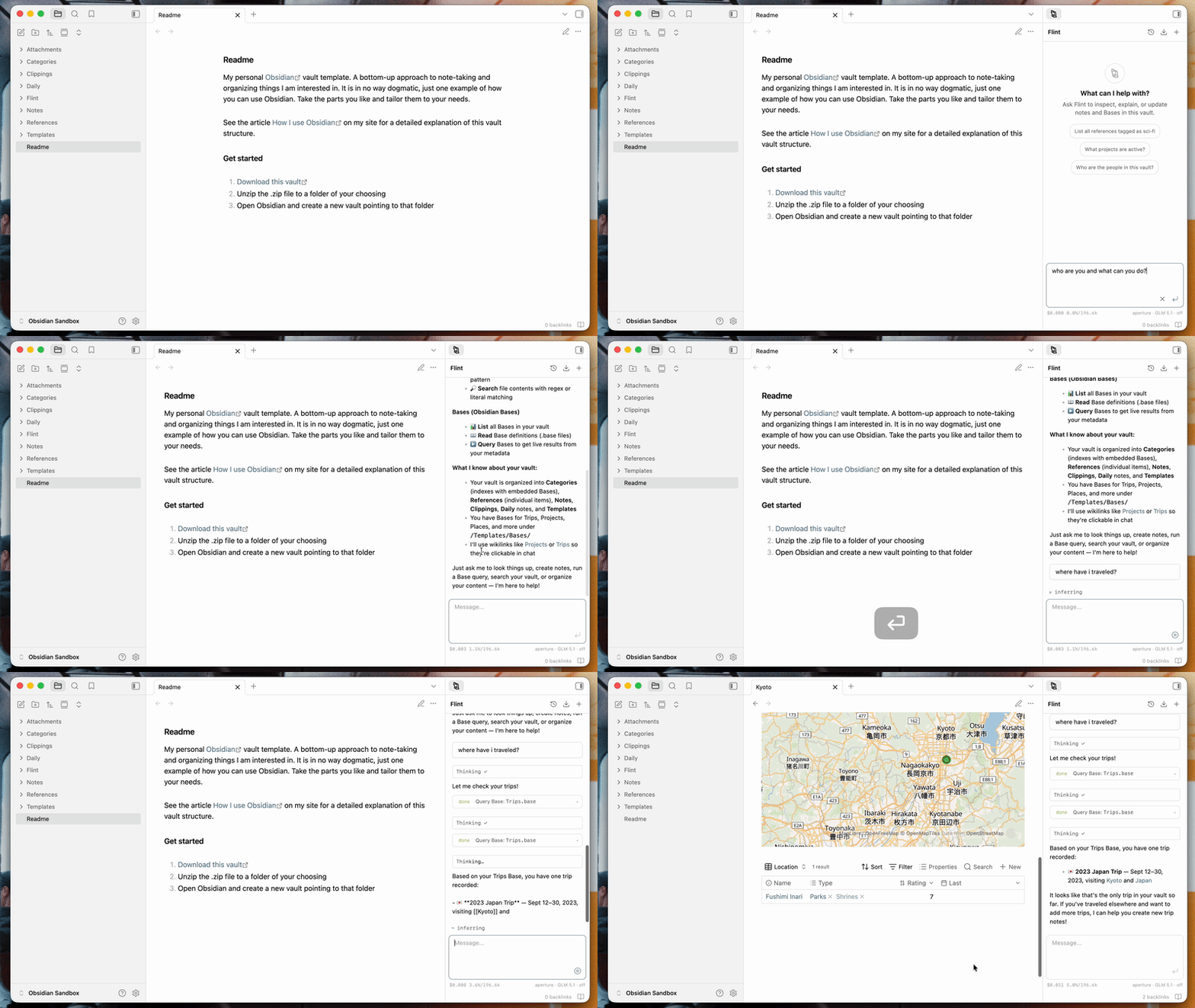
Ask questions, draft notes, reorganize folders, search across files, or work through ideas. Flint responds with full access to your vault when it needs it.
Slash commands and wikilinks
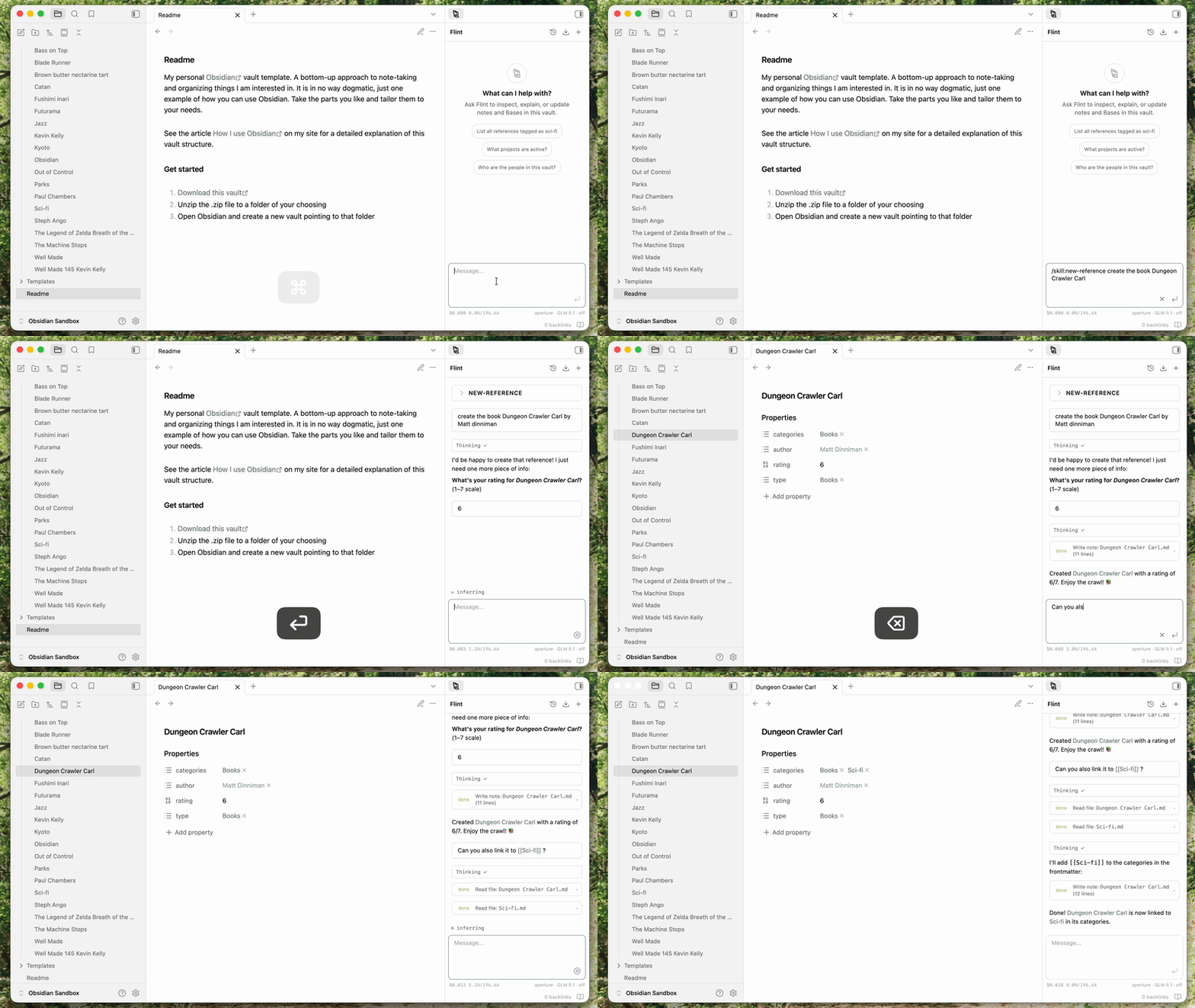
Type / for built-in commands (/compact, /reload, /skill:<name>). Type [[ to reference vault files with wikilink autocomplete.
Model picker
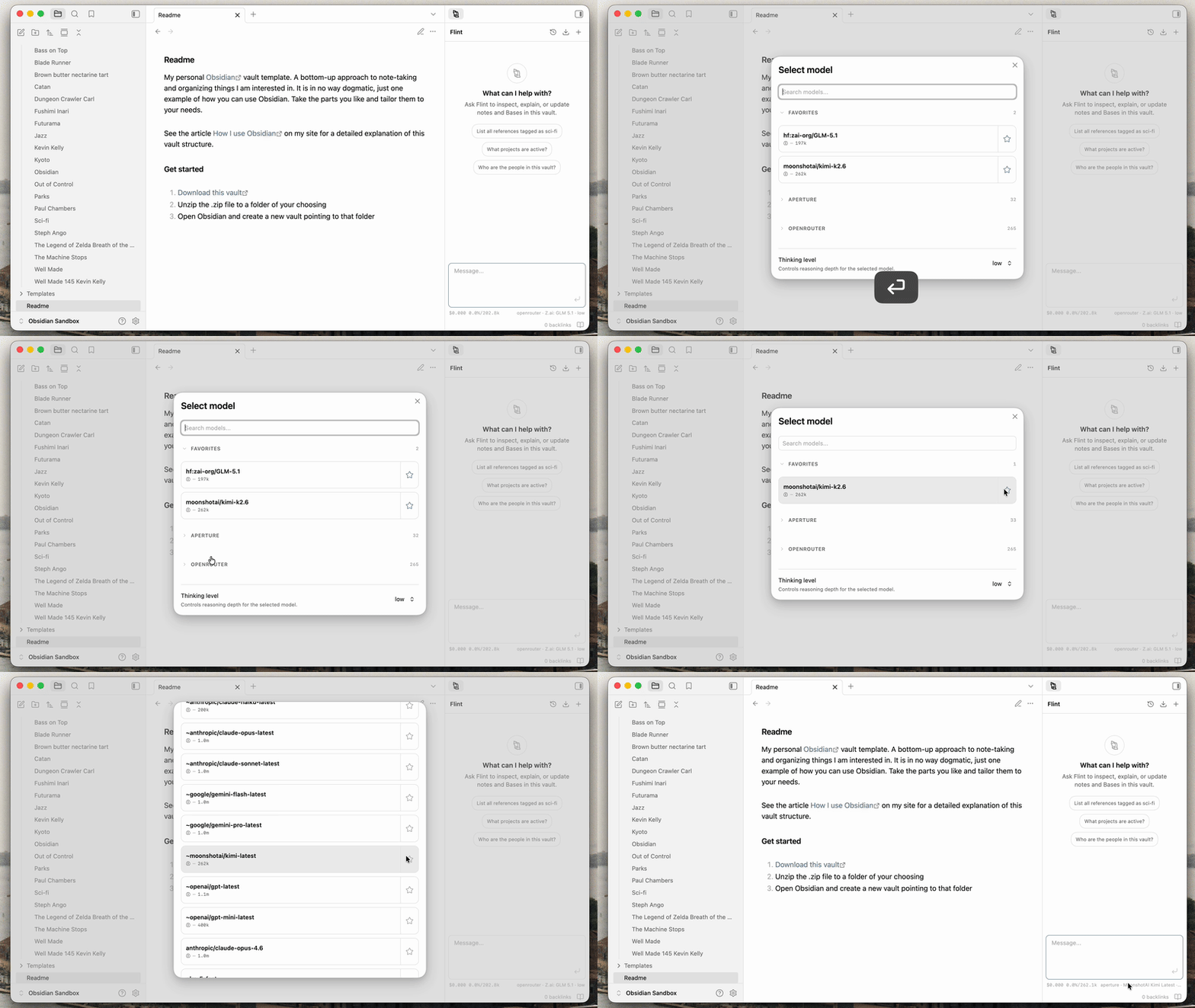
Switch models, set favorites, and adjust reasoning level using the /model command.
Markdown export
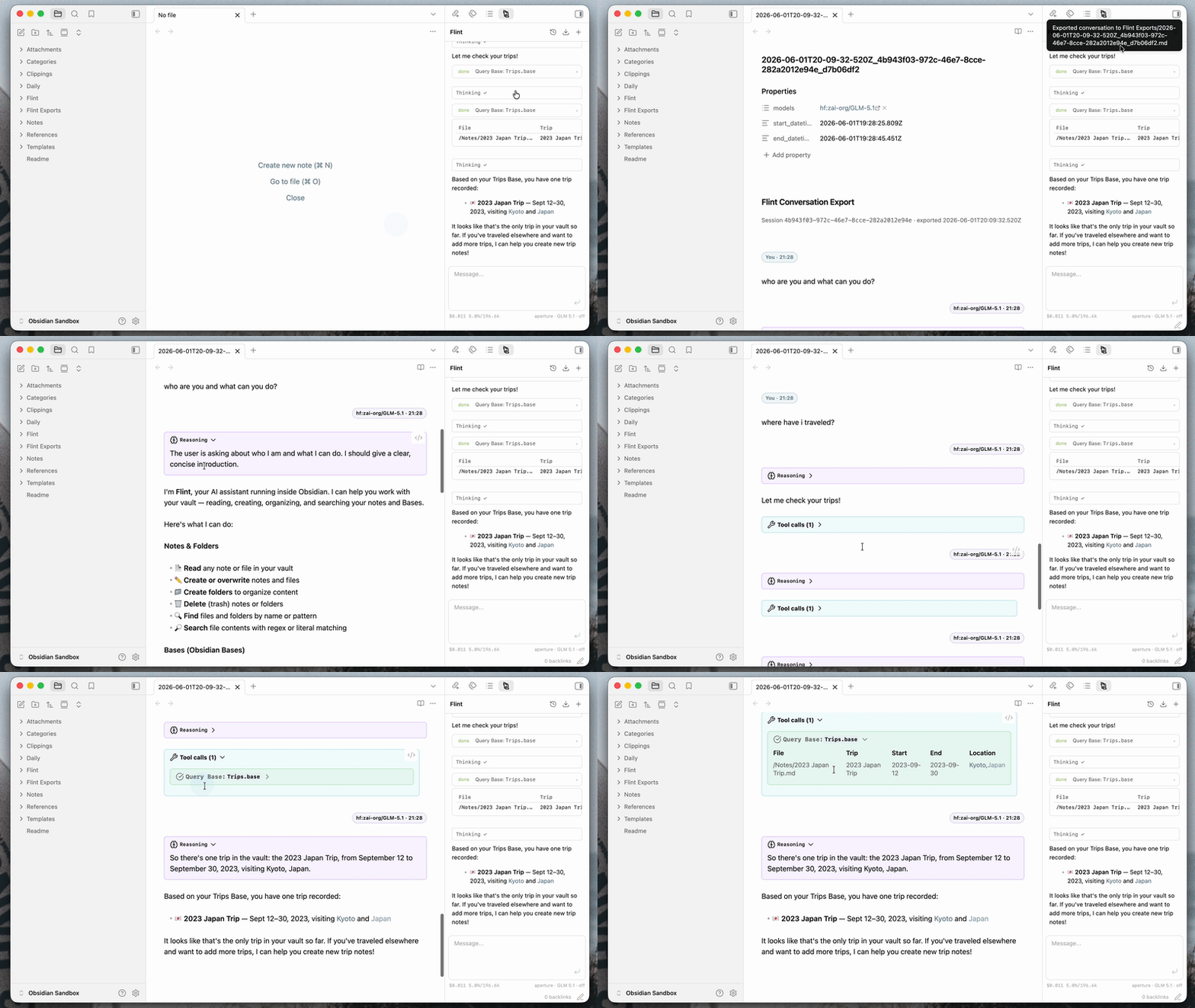
Export any conversation to your vault as a Markdown file, formatted with Obsidian callouts for reasoning and tool calls.
Features
- Vault file access — list, read, write, delete, create folders, find by name or glob, and search contents with regex
- Obsidian Bases — list available Bases and query structured data directly from chat
- Slash commands —
/compactto compress a long conversation,/modelto switch models,/reloadto refresh the harness,/skill:<name>to run a skill - Wikilink suggestions — type
[[to autocomplete vault file references - Clickable vault paths and wikilinks — file paths and
[[notes]]in assistant responses open directly in Obsidian - Session history — conversations are saved automatically; browse, resume, or delete past sessions
- Model picker with favorites — switch providers and models, pin favorites, adjust thinking level
- Skills — load custom skills from SKILL.md files in your vault; Flint watches for changes and reloads automatically
- Custom system prompt — configure base instructions or point to an AGENTS.md file for project-level context
- Markdown export — save conversations as Markdown with YAML frontmatter, optional reasoning callouts, and tool call blocks
- Multiple providers — built-in Pi providers plus any OpenAI-compatible API; API keys stored in Obsidian’s secret storage
- Mobile support — compact layout and status bar for Obsidian mobile
Installation
- Download the latest release
- Copy
main.js,manifest.json, andstyles.cssinto<vault>/.obsidian/plugins/flint/ - Reload Obsidian and enable Flint in Settings > Community plugins
Privacy
Flint operates inside your vault. The assistant can only act on files and data exposed through the plugin. Vault system directories (.obsidian, .pi) are blocked from tool access.
API keys are stored in Obsidian’s secret storage, not in plugin settings files. Review your provider configuration before using Flint with sensitive notes.
Contributing
See CONTRIBUTING.md for development setup and project guidelines.