# Custom providers in Pi
post · 2026-04-04
import Callout from '@components/Callout.astro';
import HLSVideo from '@components/HLSVideo.astro';
Updated on May 21st, 2026 to link to the new Pi repository and update the examples for the current models format.
As I mentioned in [my previous post](/posts/why-i-use-pi/), I've been using Pi every day for work and for fun for the past couple of months. More recently, I've subscribed to [Synthetic](https://synthetic.new/?referral=NDWw1u3UDWiFyDR) because I saw they were hosting some open-source models and I wanted to try them. However, Synthetic is not one of the built-in providers in Pi, but Pi has multiple ways to still configure providers to be used with it. Let's walk through both of those options.
Synthetic both hosts models and routes some through partners. It exposes OpenAI-compatible endpoints, plus some additional endpoints and features when you're on a paid plan.
## Defining a `models.json` file
The quickest way to get access is to define a `models.json` file in your Pi agent directory. By default, that file lives at `~/.pi/agent/models.json`.
As an example, for Synthetic this is what it could look like:
```json source="https://gist.github.com/aliou/4ff85c404a61f05db3cad5f1f17bc475#file-synthetic-models-gist-json"
{
"providers": {
"synthetic": {
"baseUrl": "https://api.synthetic.new/openai/v1",
"apiKey": "SYNTHETIC_API_KEY",
"api": "openai-completions",
"compat": {
"supportsDeveloperRole": false,
"supportsReasoningEffort": true,
"reasoningEffortMap": {
"minimal": "low",
"low": "low",
"medium": "medium",
"high": "high",
"xhigh": "high"
}
},
"models": [
{
"id": "hf:zai-org/GLM-5",
"reasoning": true,
"maxTokens": 65536
},
{
"id": "hf:moonshotai/Kimi-K2.5",
"reasoning": true,
"input": ["text", "image"],
"maxTokens": 65536
},
// [!code fold:start] other Synthetic models
{
"id": "hf:nvidia/Kimi-K2.5-NVFP4",
"reasoning": true,
"input": ["text", "image"],
"maxTokens": 65536
},
{
"id": "hf:MiniMaxAI/MiniMax-M2.5",
"reasoning": true,
"maxTokens": 65536
},
{
"id": "hf:zai-org/GLM-4.7-Flash",
"reasoning": true,
"maxTokens": 65536
},
{
"id": "hf:nvidia/NVIDIA-Nemotron-3-Super-120B-A12B-NVFP4",
"reasoning": true,
"maxTokens": 65536
},
{
"id": "hf:zai-org/GLM-4.7",
"reasoning": true,
"maxTokens": 65536
}
// [!code fold:end]
]
}
}
}
```
Here, `apiKey` can either be the name of an environment variable, like `SYNTHETIC_API_KEY`, or a shell command prefixed with `!`. For example, if you keep the key in 1Password, that could look like `!op read 'op://vault/item/credential'`.
For `api`, we use `openai-completions`, since Synthetic exposes an OpenAI-compatible endpoint.[^synthetic-api]
Then you define the Synthetic models you want to use in Pi. The only required field is `id`, but you can also add fields like `reasoning`, `input`, and `maxTokens` so Pi knows which features and limits each model supports. In this example, all of the listed Synthetic models support reasoning, Kimi K2.5 and NVIDIA's Kimi K2.5 variant also accept image input, and every model is configured with its maximum output token limit.
Furthermore, you might also need to define compatibility flags. This is useful when a provider is OpenAI-compatible but still differs in a few field names or behaviors. For Synthetic, the ones to set are disabling the `developer` role and mapping Pi's reasoning levels to the values Synthetic expects. Pi documents the available compatibility fields in its [custom models documentation](https://github.com/badlogic/pi-mono/blob/v0.64.0/packages/coding-agent/docs/models.md).
You can also add fields like `cost` and `contextWindow`, but they are optional. If you want the right values for those, you can look them up in the [Synthetic models page](https://dev.synthetic.new/docs/api/models) and the [OpenAI-compatible models reference](https://dev.synthetic.new/docs/openai/models).
Once the file is saved and `SYNTHETIC_API_KEY` is available in your environment, open `/model` and you should see the new models.
[^synthetic-api]: Synthetic also exposes an Anthropic-compatible API that you can see in the documentation [here](https://dev.synthetic.new/docs/anthropic/messages).
## Custom provider extension with `registerProvider()`
Opening `/model`, selecting a Synthetic model loaded from `models.json`, then prompting it in Pi.
For quick tests or private endpoints, the `models.json` approach is fine and works perfectly, and is even how I used Synthetic at the beginning. However, if you want to share the provider with other people or add additional features like related custom tools, like I did for [pi-synthetic](https://github.com/aliou/pi-synthetic), it is better to define an extension that registers the provider.
To do so, you call `registerProvider()` on the `ExtensionAPI` and pass it the provider configuration.
```ts source="https://gist.github.com/aliou/4ff85c404a61f05db3cad5f1f17bc475#file-synthetic-provider-gist-ts"
// [!code fold:start] reasoning effort map
const REASONING_EFFORT_MAP = {
minimal: "low",
low: "low",
medium: "medium",
high: "high",
xhigh: "high",
} as const;
// [!code fold:end]
export default function (pi: ExtensionAPI) {
pi.registerProvider("synthetic", {
baseUrl: "https://api.synthetic.new/openai/v1",
apiKey: "SYNTHETIC_API_KEY",
api: "openai-completions",
// [!code fold:start] model definitions
models: [
{
id: "hf:zai-org/GLM-5",
name: "zai-org/GLM-5",
reasoning: true,
input: ["text"],
cost: {
input: 1,
output: 6,
cacheRead: 1,
cacheWrite: 0,
},
contextWindow: 196608,
maxTokens: 65536,
compat: {
supportsDeveloperRole: false,
supportsReasoningEffort: true,
reasoningEffortMap: REASONING_EFFORT_MAP,
},
},
{
id: "hf:moonshotai/Kimi-K2.5",
name: "moonshotai/Kimi-K2.5",
reasoning: true,
input: ["text", "image"],
cost: {
input: 0.45,
output: 3.4,
cacheRead: 0.45,
cacheWrite: 0,
},
contextWindow: 262144,
maxTokens: 65536,
compat: {
supportsDeveloperRole: false,
supportsReasoningEffort: true,
reasoningEffortMap: REASONING_EFFORT_MAP,
},
},
{
id: "hf:nvidia/Kimi-K2.5-NVFP4",
name: "nvidia/Kimi-K2.5-NVFP4",
reasoning: true,
input: ["text", "image"],
cost: {
input: 0.45,
output: 3.4,
cacheRead: 0.45,
cacheWrite: 0,
},
contextWindow: 262144,
maxTokens: 65536,
compat: {
supportsDeveloperRole: false,
supportsReasoningEffort: true,
reasoningEffortMap: REASONING_EFFORT_MAP,
},
},
{
id: "hf:MiniMaxAI/MiniMax-M2.5",
name: "MiniMaxAI/MiniMax-M2.5",
reasoning: true,
input: ["text"],
cost: {
input: 0.4,
output: 2,
cacheRead: 0.4,
cacheWrite: 0,
},
contextWindow: 191488,
maxTokens: 65536,
compat: {
supportsDeveloperRole: false,
supportsReasoningEffort: true,
reasoningEffortMap: REASONING_EFFORT_MAP,
},
},
{
id: "hf:zai-org/GLM-4.7-Flash",
name: "zai-org/GLM-4.7-Flash",
reasoning: true,
input: ["text"],
cost: {
input: 0.1,
output: 0.5,
cacheRead: 0.1,
cacheWrite: 0,
},
contextWindow: 196608,
maxTokens: 65536,
compat: {
supportsDeveloperRole: false,
supportsReasoningEffort: true,
reasoningEffortMap: REASONING_EFFORT_MAP,
},
},
{
id: "hf:nvidia/NVIDIA-Nemotron-3-Super-120B-A12B-NVFP4",
name: "nvidia/NVIDIA-Nemotron-3-Super-120B-A12B-NVFP4",
reasoning: true,
input: ["text"],
cost: {
input: 0.3,
output: 1,
cacheRead: 0.3,
cacheWrite: 0,
},
contextWindow: 262144,
maxTokens: 65536,
compat: {
supportsDeveloperRole: false,
supportsReasoningEffort: true,
reasoningEffortMap: REASONING_EFFORT_MAP,
},
},
{
id: "hf:zai-org/GLM-4.7",
name: "zai-org/GLM-4.7",
reasoning: true,
input: ["text"],
cost: {
input: 0.45,
output: 2.19,
cacheRead: 0.45,
cacheWrite: 0,
},
contextWindow: 202752,
maxTokens: 65536,
compat: {
supportsDeveloperRole: false,
supportsReasoningEffort: true,
reasoningEffortMap: REASONING_EFFORT_MAP,
},
},
],
// [!code fold:end]
});
}
```
To see the full model definition, here is the actual provider entry point in the published extension: [`src/extensions/provider/index.ts`](https://github.com/aliou/pi-synthetic/blob/v0.8.5/src/extensions/provider/index.ts). The full model list used by the extension is here: [`src/extensions/provider/models.ts`](https://github.com/aliou/pi-synthetic/blob/v0.8.5/src/extensions/provider/models.ts).
In addition, if your provider requires OAuth or any other custom login flow, registering the provider through an extension is also the way to go, since `models.json` does not support it. Pi documents that in its [custom providers documentation](https://github.com/badlogic/pi-mono/blob/v0.64.0/packages/coding-agent/docs/custom-provider.md).
## Adding custom commands
Furthermore, now that we've created an extension, we can also define custom tools, custom commands, and even integrations with other extensions.
As an example, we can define a `/synthetic:quotas` command that fetches and displays the current quotas for your subscription. Here's what it could look like for a very small component:
```ts source="https://github.com/aliou/pi-synthetic/blob/v0.8.5/src/extensions/command-quotas/command.ts"
function pct(requests: number, limit: number): number {
if (!limit) return 0;
return Math.round((requests / limit) * 100);
}
export default function (pi: ExtensionAPI) {
pi.registerCommand("synthetic:quotas", {
description: "Display Synthetic API usage quotas",
handler: async (_args, ctx) => {
const response = await fetch("https://api.synthetic.new/v2/quotas", {
headers: {
Authorization: `Bearer ${process.env.SYNTHETIC_API_KEY}`,
},
});
if (!response.ok) {
ctx.ui.notify("Failed to fetch quotas", "error");
return;
}
const quotas = await response.json();
const lines = [
"Synthetic quotas",
"",
`Subscription: ${quotas.subscription.requests}/${quotas.subscription.limit} (${pct(quotas.subscription.requests, quotas.subscription.limit)}%)`,
`Search: ${quotas.search.hourly.requests}/${quotas.search.hourly.limit} (${pct(quotas.search.hourly.requests, quotas.search.hourly.limit)}%)`,
`Free tool calls: ${quotas.freeToolCalls.requests}/${quotas.freeToolCalls.limit} (${pct(quotas.freeToolCalls.requests, quotas.freeToolCalls.limit)}%)`,
"",
"Press Enter or Esc to close",
];
await ctx.ui.custom((_tui, theme, _keybindings, done) => ({
render: () => new Text(theme.fg("text", lines.join("\n")), 0, 0),
invalidate: () => true,
handleInput: (data: string) => {
if (data === "\r" || data === "\u001b") done(null);
},
}));
},
});
}
```
Here is what that looks like:
Running `/synthetic:quotas` from the simple extension and showing the small quota popup.
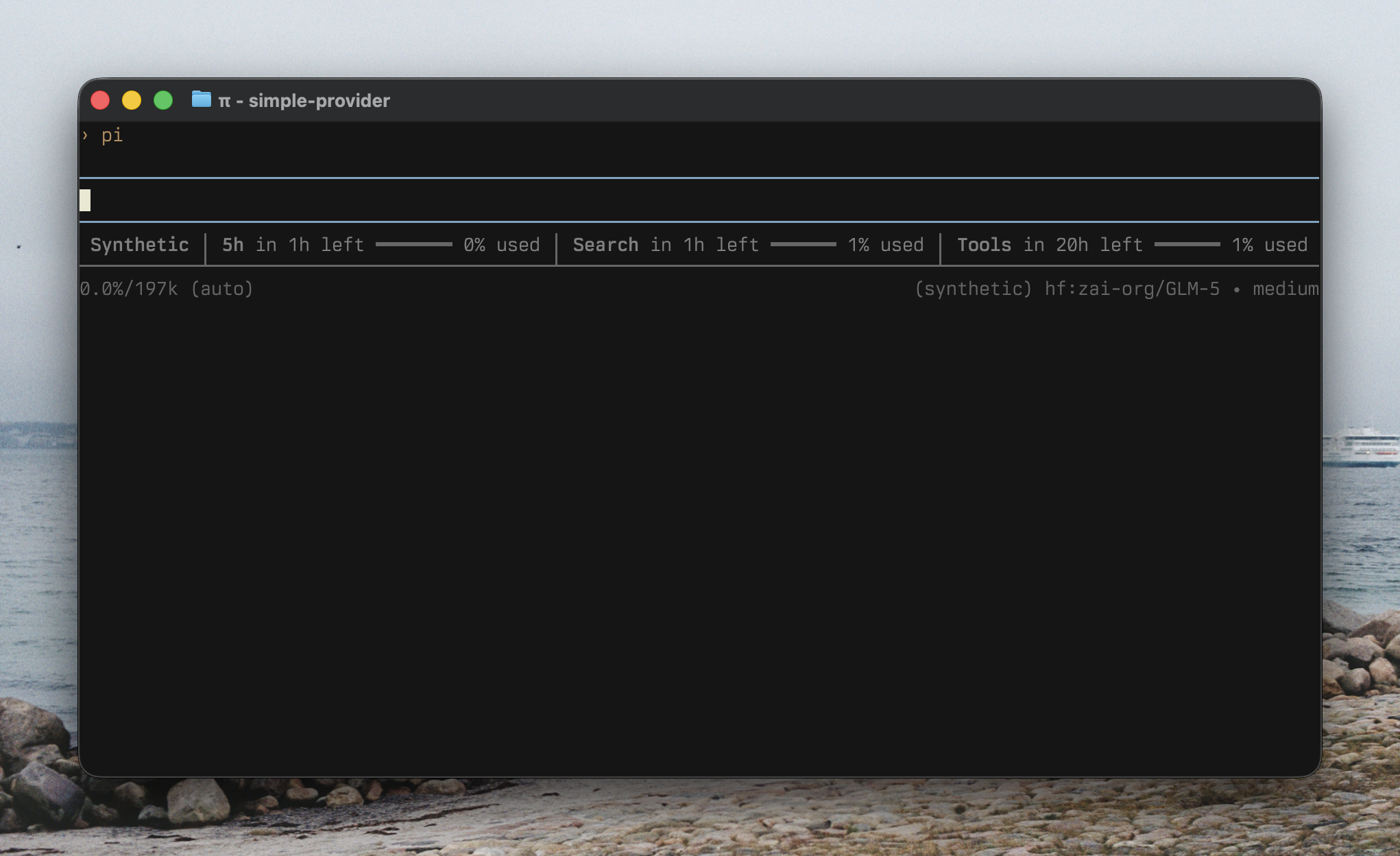
You can even go further and build richer components. Here is the same command in [`pi-synthetic`](https://github.com/aliou/pi-synthetic), where it shows progress bars and projections based on how much of the current period has already elapsed.
Running `/synthetic:quotas` from `pi-synthetic`, with progress bars and projected usage.
Here is the same command in [`pi-synthetic`](https://github.com/aliou/pi-synthetic), where it shows progress bars and projections based on how much of the current period has already elapsed.
And you could even also integrate with other extensions through [Pi's event bus](https://github.com/badlogic/pi-mono/blob/v0.64.0/packages/coding-agent/docs/extensions.md#pievents). For example, the current extension emits usage updates for the [pi-sub-bar](https://github.com/marckrenn/pi-sub/tree/main/packages/sub-bar) extension to consume.
pi-sub-bar picking up quota updates emitted by the Synthetic extension.
The integration code for that is here: [`src/extensions/command-quotas/sub-integration.ts`](https://github.com/aliou/pi-synthetic/blob/v0.8.5/src/extensions/command-quotas/sub-integration.ts).
## Wrap up
Personally, the two models I use the most currently on Synthetic are Kimi K2.5 and GLM-5. I've been curious about open-source models for a while, but most of the times I tried them before, there were always some issues, or they just did not work as well as models from the bigger labs. That has changed a lot with Synthetic. They are pretty rigorous about making sure models actually work correctly, including things like tool calling, which is part of why they built [Synbad](https://github.com/synthetic-lab/synbad).
In addition, Pi's flexibility meant it was pretty easy to not only use those models, but also everything around Synthetic itself, like displaying [quotas](https://dev.synthetic.new/docs/synthetic/quotas) inside Pi, adding a custom tool for Synthetic's [web search](https://dev.synthetic.new/docs/synthetic/search) endpoint, and even using their [embeddings](https://dev.synthetic.new/docs/openai/embeddings) endpoint for other features.[^stay-tuned]
Finally, if you want to use Synthetic in Pi, here's my extension: [`@aliou/pi-synthetic`](https://github.com/aliou/pi-synthetic). And here is my referral link to Synthetic: [synthetic.new](https://synthetic.new/?referral=NDWw1u3UDWiFyDR), where you get $10 in subscription credit when you sign up.
[^stay-tuned]: Stay tuned for that.